
Why Software Tools Are Essential for Beginners
The role of software in modern online business
Software tools play a central role in how online businesses operate today. They help manage websites, create content, communicate with audiences, and track performance. Instead of relying on complex technical systems, beginners can use simple tools to handle essential tasks and build a functional online business more efficiently.
Why beginners often feel confused about tools
For beginners, the number of available tools can feel overwhelming. There are many platforms for design, marketing, communication, and organization, each offering different features. Without clear guidance, it becomes difficult to know which tools are actually necessary, leading to confusion and sometimes unnecessary time spent exploring too many options.
How choosing the right tools simplifies the process
Selecting the right tools based on your needs can make the entire process much easier. Instead of trying everything, focusing on a few essential tools helps create a clear workflow. This reduces complexity, improves focus, and allows beginners to build skills gradually while making steady progress in their online business.
“As explained in our guide on What Is Software and Why Online Businesses Depend on It, tools play a supporting role in building and managing online systems.”
What Software Tools Do Beginners Need to Start an Online Business?
Software tools for beginners starting an online business include platforms for building a website, managing communication, creating content, organizing tasks, and tracking performance. These tools work together to simplify operations, allowing beginners to manage and grow an online business efficiently without advanced technical knowledge.
Understanding Software Tools in Online Business
What software tools mean in simple terms
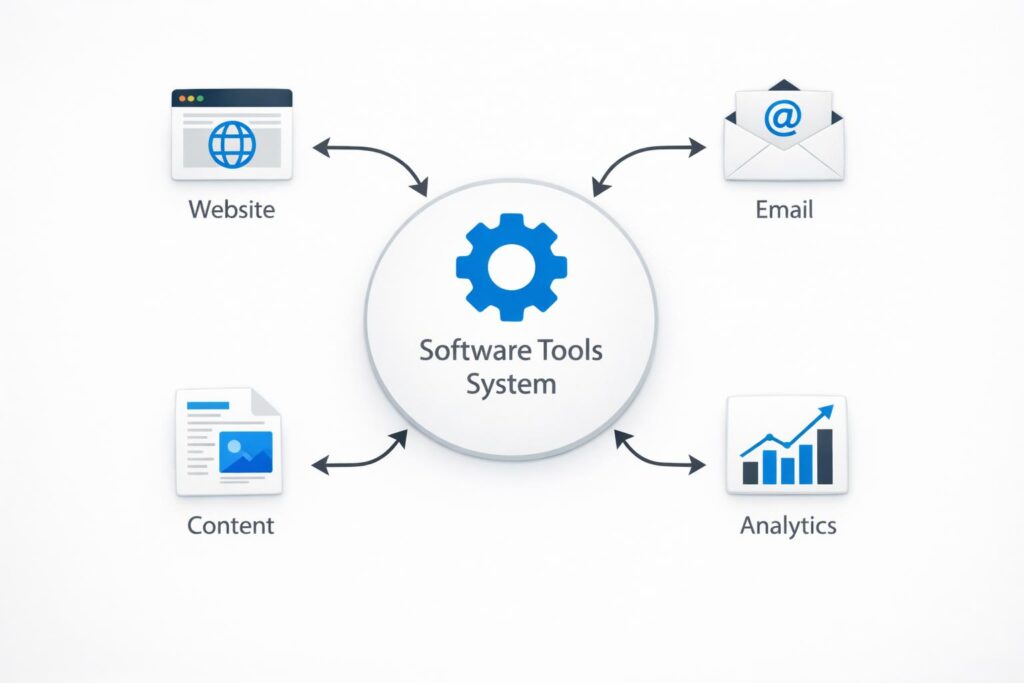
Software tools are digital applications that help you complete specific tasks in your online business. These tasks can include building a website, creating content, sending emails, or organizing work. Instead of doing everything manually, these tools simplify processes and make it easier for beginners to manage different parts of their business efficiently.
“This connects closely with Common Types of Software Used in Online Businesses, where different tools are explained in more detail.”
The difference between tools and systems
A tool is a single solution designed for one task, while a system is a structured combination of tools working together. For example, a content creation tool is useful on its own, but when combined with a publishing platform and an analytics tool, it becomes part of a complete workflow. Systems create structure, while tools support each step within that structure.
Why tools support but do not replace strategy
Software tools can improve speed and organization, but they cannot replace thinking and planning. Without a clear goal or direction, tools may lead to scattered efforts instead of real progress. Strategy defines what needs to be done, while tools simply help execute it. Beginners should focus on understanding their goals first, then use tools to support those decisions effectively.
How Software Tools Help Beginners Start Online
Simplifying setup and technical tasks
Software tools make it much easier for beginners to handle technical aspects of starting an online business. Instead of coding or managing complex systems, beginners can use platforms with ready-made templates and simple interfaces. This reduces the learning curve and allows them to focus on building their business rather than struggling with setup.
Supporting content creation and communication
Creating content and communicating with an audience are essential parts of online work. Software tools help beginners write, design, and share content more efficiently. They also make it easier to manage emails, messages, and updates. This ensures that communication stays consistent, which is important for building trust and engagement over time.
Making workflows more organized and efficient
Software tools help structure daily tasks into clear workflows. Instead of working randomly, beginners can plan, track, and manage their work in an organized way. This improves focus and reduces wasted time. With a simple system in place, it becomes easier to stay consistent and gradually improve productivity and overall results.
“For a deeper look at efficiency, see Productivity Tools That Help Beginners Work Online Efficiently.”
Key Categories of Software Tools for Beginners
“If you’re just starting, explore Beginner-Friendly Online Tools That Require No Technical Skills.”
Website and platform tools
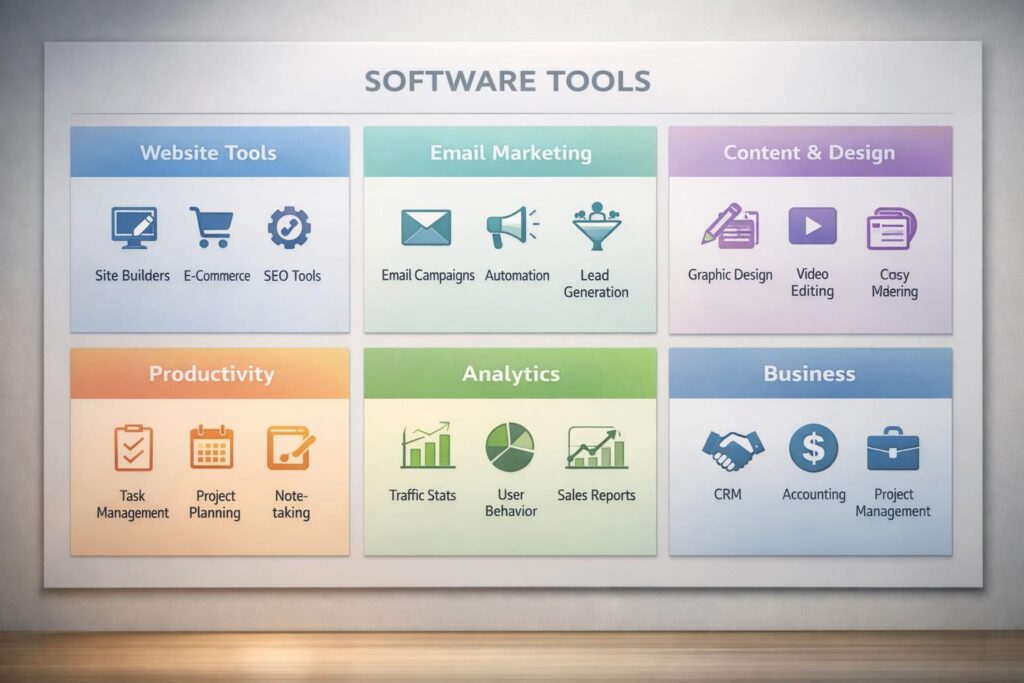
Website and platform tools are the starting point for any online business. They allow beginners to create and manage a website or online store without technical skills. These tools often include templates, hosting, and basic customization options. With a simple setup, beginners can establish an online presence and begin sharing content or offering services.
Communication and email tools
Communication tools help beginners stay connected with their audience. Email platforms allow you to collect contacts, send updates, and build long-term relationships. Other communication tools may include messaging systems or support platforms. These tools are important for maintaining engagement and ensuring that users receive consistent and clear communication.
Content creation and design tools
Content creation tools make it easier to produce written and visual materials. Beginners can use these tools to write blog posts, design graphics, and create simple marketing content. Many tools offer templates and easy editing features, allowing users to create professional-looking content without needing advanced design or technical skills.
Productivity and organization tools
Productivity tools help beginners stay organized and manage their work efficiently. These tools can include task managers, note-taking apps, and project tracking systems. They allow users to plan tasks, set priorities, and monitor progress. A clear structure helps reduce confusion and improves consistency in daily work.
Analytics and tracking tools
Analytics tools provide insights into how an online business is performing. They track website visitors, user behavior, and engagement levels. By understanding this data, beginners can identify what is working and what needs improvement. This helps guide better decisions and supports gradual growth over time.
Top Software Tools Every Beginner Should Consider
Website setup tools
For beginners, setting up a website is often the first step. Tools such as WordPress provide a flexible way to create and manage a website without needing advanced technical knowledge. It offers themes, plugins, and customization options that make it easier to build a functional online presence while learning the basics step by step.
Email marketing tools
Email tools help beginners build and maintain communication with their audience. For example, platforms like Mailchimp allow users to collect email subscribers, send newsletters, and automate simple campaigns. These tools are useful for building consistent engagement and keeping your audience informed as your online presence grows.
Content and design tools
Creating clear and visually appealing content is important for online success. Tools such as Canva help beginners design graphics, social media posts, and simple marketing materials. With easy-to-use templates and drag-and-drop features, beginners can produce professional-looking visuals without needing design experience.
Productivity tools
Staying organized is essential when managing multiple tasks. Tools like Trello help beginners track projects, organize tasks, and maintain a clear workflow. This type of structure makes it easier to stay consistent and avoid feeling overwhelmed, especially in the early stages of building an online business.
Analytics tools
Understanding performance is key to improving results over time. Platforms such as Google Analytics provide insights into website traffic and user behavior. By reviewing this data regularly, beginners can identify what works, make adjustments, and gradually improve their strategy in a more informed way.
Real-World Example — A Beginner Using Software Tools Step by Step
“This approach aligns with How Technology Helps Beginners Start Online Businesses Step by Step.”
Starting with a simple setup
A beginner starting an online business often begins with a basic setup. They create a simple website, choose a content topic, and set up a way to communicate with visitors. At this stage, the goal is not perfection but clarity. By using a few essential tools, they establish a small system that allows them to publish content and stay consistent.
Connecting tools into a workflow
As they become more comfortable, the beginner starts connecting tools into a simple workflow. A website platform is used for publishing, an email tool collects subscribers, and a design tool helps create visuals. A productivity tool keeps tasks organized. Each tool plays a specific role, and together they form a structured system that supports regular work.
Improving gradually over time
With time, the beginner begins to refine their process. They analyze what content performs well, improve communication with their audience, and adjust their workflow based on experience. Instead of adding more tools, they focus on using existing tools more effectively. This gradual improvement builds confidence and creates steady progress that can be expanded later.
Benefits and Limitations of Software Tools
“For long-term perspective, read Why Technology Is Essential for Long-Term Online Business Growth.”
Benefits for beginners
Software tools make it easier for beginners to start and manage an online business without needing advanced technical skills. They simplify complex tasks such as building websites, creating content, and organizing workflows. Many tools offer ready-to-use features and automation, which saves time and improves consistency. They also allow beginners to focus more on learning and building their business rather than dealing with technical challenges.
Limitations and realistic expectations
Despite their advantages, software tools are not a complete solution. Without a clear plan or understanding, tools can create confusion instead of progress. Using too many tools can also increase costs and make workflows harder to manage. Beginners should understand that tools support work but do not replace effort, learning, or strategy. Real progress still depends on consistency and improvement over time.
Common Beginner Mistakes When Using Software Tools
“This is also explained in Common Mistakes Beginners Make When Using Online Tools (And How to Avoid Them).”
Using too many tools at once
Many beginners assume that using more tools will lead to faster results. They sign up for multiple platforms and try to manage everything at once. This often creates confusion and slows progress. Too many tools can make workflows complicated and difficult to maintain, especially without a clear system in place.
Choosing tools without a clear goal
Another common mistake is selecting tools based on trends instead of actual needs. Beginners may choose popular tools without understanding how they fit into their workflow. Without a clear goal, tools become distractions rather than helpful solutions. It is more effective to choose tools that directly support a specific purpose.
Relying on tools instead of learning skills
Some beginners depend too much on tools and expect them to produce results automatically. However, tools cannot replace understanding or skill development. Without learning how to create content, communicate effectively, or plan properly, tools will have limited impact. Skills should come first, with tools supporting that growth.
Practical Guide — Choosing the Right Software Tools
“If you’re unsure where to begin, check How to Choose the Right Digital Tools as a Beginner.”
Identify your main goal first
Before choosing any software tool, it is important to understand your main goal. Are you trying to build a website, grow an audience, or organize your work? When your objective is clear, it becomes easier to select tools that directly support that goal instead of getting distracted by features you may not need.
Start with simple tools
Beginners benefit most from tools that are easy to use and require minimal setup. Simple tools reduce the learning curve and allow you to focus on building skills and consistency. Instead of choosing complex platforms with many features, start with tools that cover the basics and help you understand the process step by step.
Build a small and effective system
Rather than using many tools, focus on building a small system that works well together. For example, one tool for your website, one for communication, and one for organization. A simple system is easier to manage, reduces confusion, and allows you to improve gradually without feeling overwhelmed.
Frequently Asked Questions About Software Tools
What tools do I need to start an online business?
To start an online business, beginners typically need a website platform, a communication or email tool, content creation tools, a productivity tool, and basic analytics. These tools help manage essential tasks and create a simple system for consistent work and gradual growth.
Are free tools enough for beginners?
Yes, many free tools are enough to get started. They usually provide the basic features needed to build a website, create content, and manage communication. Beginners can use free versions first and upgrade only when their needs grow or when advanced features become necessary.
How many tools should I use?
Most beginners only need three to five tools to start. Using fewer tools makes it easier to stay organized and focused. A small, well-structured system is more effective than using many tools without a clear workflow.
Can tools guarantee success?
No, tools cannot guarantee success. They help improve efficiency and organization, but results depend on strategy, skills, and consistency. Tools support your work, but they do not replace learning, planning, or effort.
Conclusion — Tools Support the Journey, Not Replace It
Key takeaways for beginners
Software tools can make starting an online business easier, but they are only part of the process. Beginners should focus on choosing a few essential tools, building a simple system, and developing their skills gradually rather than relying on tools alone.
Why strategy matters more than tools
Tools help execute tasks, but they do not provide direction. Without a clear plan, even the best tools will not produce meaningful results. Strategy defines what needs to be done, while tools support that process and improve efficiency over time.
How tools support long-term online growth
When used correctly, tools can help organize work, automate tasks, and track progress. Over time, they become part of a stable system that supports consistent improvement. Combined with learning and effort, they contribute to sustainable growth rather than short-term results.
“For realistic expectations, see Realistic Expectations for Beginners Starting an Online Business with Technology.”