
Introduction
Remote and online work depend on tools in a very practical way. They help people communicate, organize tasks, store information, and stay consistent when work is no longer tied to a physical office. For beginners, this can make tools feel powerful—sometimes even overwhelming. It is easy to assume that choosing the “right” software will automatically lead to productivity or results. That assumption is where many people get stuck.
Tools matter, but not in the way they are often presented. They do not create focus, discipline, or skill on their own. What they do is remove friction. A good tool makes a task clearer, faster, or easier to repeat. A poor setup adds noise and distraction. The difference is not the tool itself, but how and why it is used.
This is especially important in remote and online work, As explained in Why Technology Is a Tool, Not a Shortcut, tools amplify direction—they do not create it. where structure does not exist by default. Beginners often expect tools to replace effort or experience. In reality, tools support work that already has direction. They amplify habits. They do not invent them.
This article is written to set realistic expectations. It explains essential tools through the lens of real online work, not shortcuts or hype. If you are still building a broader understanding of how technology supports online work and income, that foundation is explained in Technology and Online Business – The Complete Beginner’s Guide. From there, tools make more sense—as helpers, not promises.
What “Essential Tools” Really Mean for Beginners
When beginners hear the phrase essential tools, it often sounds like a fixed checklist. In reality, essential tools are not universal. They depend on what kind of work you are doing and what stage you are at. For someone working remotely or building an online workflow, an essential tool is simply one that removes friction from a real task you already need to do.
This distinction matters because tools do not create progress on their own. They support actions that are already happening. Writing tools help you write more clearly. Communication tools help you respond more reliably. Organization tools help you keep track of work that already exists. Without the underlying activity, the tool has nothing to improve.
For beginners, understanding this prevents wasted time and frustration. Instead of searching for the “best” tool, it is more useful to ask a simpler question: What am I trying to do right now, and what is slowing me down? The tool that solves that problem is essential for you, even if it is basic.
Tools vs Skills — Understanding the Difference
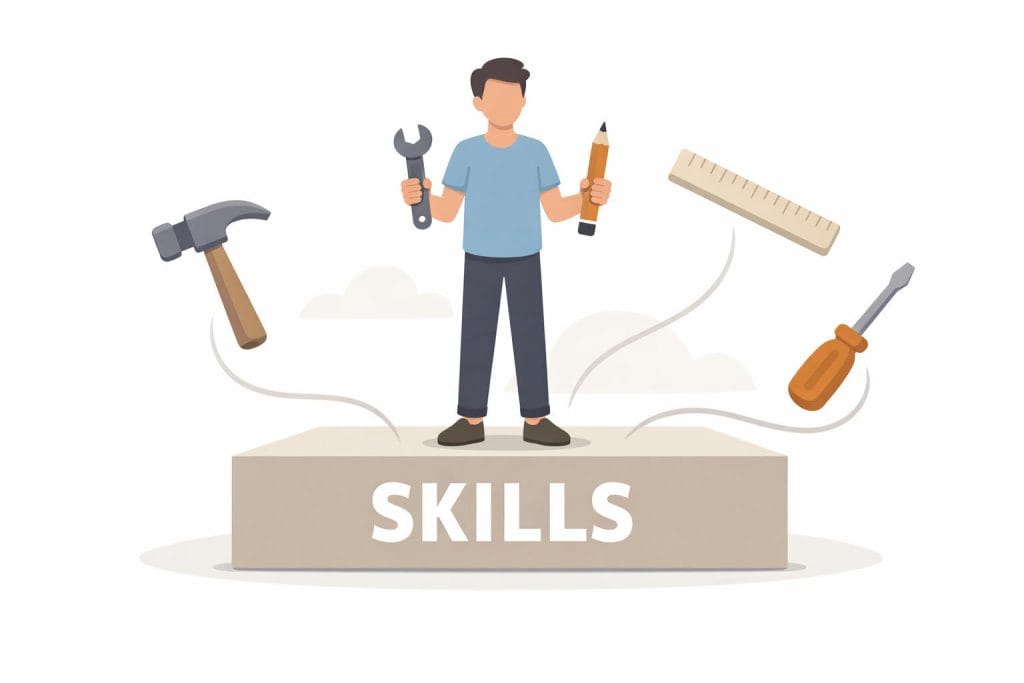
Tools help you apply skills. They do not replace them. A beginner with improving skills will benefit more from simple tools than someone using advanced software without understanding the basics.
Skills still come first. Clear thinking, basic communication, and consistency matter more than features. A simple tool used well almost always beats a complex tool used poorly.
Why Beginners Often Overcomplicate Tool Choices
Many beginners use too many tools at once. This creates confusion rather than efficiency. Each new tool adds decisions, settings, and habits to learn.
Another issue is trend-driven decisions. Beginners often choose tools because others recommend them, not because they solve a real need. This leads to decision fatigue — the mental exhaustion that comes from making too many small choices every day.
Fewer tools reduce pressure. When choices are limited, focus improves. For beginners, simplicity is not a limitation. It is an advantage.
Core Categories of Tools Every Beginner Needs
Clarification:
These tools are especially important for beginners offering services online, as discussed in What Is Skill-Based Online Work?
This section explains types of tools, not specific software brands. The goal is to help beginners understand what kind of tool does what, before choosing any platform.
Communication tools
These tools support clear interaction in remote and online work. They help keep conversations organized, reduce misunderstandings, and separate work communication from personal chats.
Organization and task tools
Organization tools help beginners turn unclear goals into visible actions. They reduce mental overload by keeping tasks, priorities, and progress in one structured place.
Content and document tools
These tools support writing, editing, storing, and revisiting work. They help beginners build ideas gradually without losing notes or restarting work repeatedly.
Time and focus tools
Time and focus tools create awareness, not pressure. Their purpose is to help beginners notice work patterns and manage attention more intentionally.
Access, security, and reliability tools
These tools protect work and ensure consistency. They help keep files safe, systems accessible, and online work stable over time.
Communication Tools for Remote and Online Work

Clear communication is the backbone of remote and online work. When people work in different locations and time zones, even small communication gaps can slow progress. For beginners, this is often the first real challenge they face. It is not a lack of motivation, but a lack of clear systems for staying connected.
Communication tools are meant to reduce friction. They help messages reach the right person, at the right time, in the right context. Without them, work becomes reactive and stressful. With them, even simple tasks feel more organized and predictable.
Why Communication Is Often the First Problem for Beginners
Most beginners struggle with communication before they struggle with skills. One common issue is delayed responses. Messages get lost across emails, chats, and social platforms, creating uncertainty about what is happening.
Another issue is misunderstandings. Written communication lacks tone and context. When tools are not structured, short messages can easily be misread, leading to confusion or unnecessary tension.
Lack of structure is the third problem. Beginners often mix personal chats with work discussions. Important information gets buried, and there is no clear place to return and check decisions or instructions later.
What Makes a Communication Tool Beginner-Friendly
A beginner-friendly communication tool does not try to do everything at once. It focuses on clarity. A simple interface helps users find conversations quickly without feeling overwhelmed.
Reliable performance is also critical. Messages should send and sync without issues. When a tool works consistently, beginners build trust in the system and rely on it more confidently.
Cross-device support matters as well. Beginners often switch between phone and computer. Tools that work smoothly across devices reduce friction and keep communication continuous, even when routines change.
Real-Life Beginner Scenario
Imagine a beginner learning remotely or starting freelance work online. They receive tasks through one channel, ask questions in another, and submit work somewhere else. Very quickly, things feel scattered.
Once they adopt a clear communication tool, everything changes. Tasks are discussed in one place. Questions stay connected to the topic. Responses are easier to track. The work itself does not become easier, but the process becomes calmer and more predictable.
This is the real value of communication tools for beginners. They do not replace effort or skills. They create a clear path for interaction, which allows learning and work to move forward with less friction and fewer misunderstandings.
Organization and Task Management Tools

For many beginners, online work feels messy even when the workload is not heavy. Tasks slip through the cracks. Deadlines feel unclear. At the end of the day, there is effort, but little sense of progress. This usually has nothing to do with discipline. It comes from the absence of simple systems.
Organization and task management tools exist to replace what is missing in remote work. They provide structure where there is no physical space, no supervisor nearby, and no fixed routine. When used correctly, they reduce mental pressure and make work feel manageable instead of overwhelming.
Why Online Work Feels Disorganized Without Systems
In traditional environments, structure is built in. There is an office, a schedule, and visible cues that guide the day. Online work removes all of that. Beginners suddenly have full freedom, but also full responsibility.
Another issue is the lack of natural routines. When everything happens on the same device, work, learning, and personal life blend together. Without clear boundaries, tasks compete for attention and nothing feels finished.
Self-management is the final challenge. Beginners often rely on memory instead of systems. This works for a short time, then breaks down. The brain becomes a storage space for tasks, which creates stress and constant distraction.
Simple Organization Principles (Not Tool Names)
Effective organization starts with principles, not software. The first principle is one central task list. All tasks should live in one place. Not in messages, not in notes, not in memory. One trusted list removes uncertainty.
The second principle is clear priorities. Not everything matters equally. Beginners benefit from knowing what must be done today, what can wait, and what is optional. Priority creates focus.
The third principle is visible progress. When tasks move from “to do” to “done,” motivation increases naturally. Seeing progress reduces the feeling of working endlessly without results.
Common Beginner Mistake
A common mistake is over-planning instead of execution. Beginners spend time designing perfect systems, reorganizing lists, or adjusting layouts. This feels productive, but often delays real work.
Organization tools should support action, not replace it. A simple system that is used consistently is far more effective than a complex setup that is rarely followed.
When task management tools are used as support, not control, they create clarity. Work becomes easier to start, easier to track, and easier to finish. That sense of order is what allows beginners to build momentum and confidence over time.
Why Online Work Feels Disorganized Without Systems
Online work removes many of the structures people rely on without noticing. There is no physical office to separate work from personal life. Everything happens on the same screen, in the same space, which makes tasks blend together.
There are also no built-in routines. In traditional settings, time blocks, meetings, and visible workflows shape the day automatically. Online, beginners must create that structure themselves. Without it, work becomes reactive instead of planned.
Self-management is the final challenge. When tasks live only in the mind, they compete for attention. This creates stress and the feeling of being busy without moving forward. Disorganization, in most cases, is not laziness. It is the absence of a clear system.
Simple Organization Principles (Not Tool Names)
Good organization starts with principles, not apps. The most important principle is one central task list. Every task should live in one trusted place. This removes uncertainty and mental overload.
The second principle is clear priorities. Beginners often treat all tasks as equally urgent. When priorities are defined, decisions become easier and focus improves naturally.
The third principle is visible progress. Seeing tasks move from unfinished to completed creates momentum. Progress that can be seen reduces frustration and increases motivation, even when the workload is small.
Common Beginner Mistake
A common mistake is over-planning instead of execution. Beginners spend time designing perfect systems, reorganizing lists, or testing layouts. This feels productive but often delays real work.
Organization tools should support action, not replace it. A simple system used consistently is far more effective than a complex setup that is rarely followed. When structure serves work rather than controlling it, productivity becomes calmer and more sustainable.
Tools for Content, Documents, and Daily Online Work

Content and document tools sit at the center of most online activities. Even when someone does not see themselves as a “creator,” these tools quietly support daily work. Emails, notes, reports, and basic materials all pass through content tools in one form or another. For beginners, understanding this role removes unnecessary pressure and helps them use these tools with confidence.
For readers building income through educational content, this connects directly to Content-Based Online Income Explained.
At a basic level, these tools exist to capture ideas, organize information, and make work reusable. Online work depends heavily on written communication. Clear text reduces misunderstandings, saves time, and creates a record that can be improved later. When content is stored digitally, it becomes easier to update, share, and revisit as learning progresses.
Another important role is consistency. Documents and content tools create a stable workspace. Instead of rewriting the same information repeatedly, beginners can build once and refine over time. This is especially helpful in online business or remote learning, where clarity and repeatability matter more than speed.
Why Content Tools Are Not Only for Creators
Many beginners assume content tools are only for bloggers or writers. In reality, almost everyone working online uses them daily. Writing emails is the most common example. Clear emails reduce back-and-forth and prevent confusion.
Preparing documents is another frequent task. Simple outlines, summaries, or instructions are often required, even in basic online work. Learning notes also fall into this category. Writing ideas down helps understanding and memory.
Basic publishing is part of everyday online activity as well. This could be sharing information in a workspace, uploading a document, or preparing a simple page. These actions rely on the same core tools, regardless of the final purpose.
What Makes These Tools Beginner-Safe
Beginner-friendly content tools share a few key qualities. Auto-save is one of the most important. Losing work is frustrating, and tools that save automatically reduce anxiety and interruptions.
Cloud access is another essential feature. When documents are available across devices, beginners can work flexibly and avoid dependence on a single location. This supports remote work and learning naturally.
Simple formatting also matters. Clean text, basic headings, and easy layout options help beginners focus on ideas instead of design. Complexity at this stage often slows progress rather than improving results.
Beginners exploring supportive digital assistants can review Best Free AI Tools Beginners Should Try for practical starting points.
Practical Beginner Use Case
Imagine a beginner preparing materials for an online business or a learning project. They start by writing simple notes to clarify ideas. Those notes become structured documents. Over time, the same content is refined into guides, instructions, or shared resources.
Nothing advanced is required. The tools support thinking, organization, and gradual improvement. When used consistently, content and document tools become a quiet foundation that makes daily online work calmer, clearer, and more manageable.
Time, Focus, and Productivity Support Tools

Time and focus are often the first areas where beginners struggle in online work. Without clear structure, days can feel busy without meaningful progress. Productivity support tools exist to bring awareness and light order, not to force discipline. Understanding this difference helps beginners use them in a healthier and more effective way.
Online work gives flexibility, but that freedom comes with responsibility. When time is not managed intentionally, tasks stretch longer than needed or get delayed entirely. Focus tools help create gentle boundaries around work sessions, making effort more visible and easier to repeat.
These tools are most useful when they support habits rather than replace them. For beginners, the goal is not perfect productivity. It is consistency. Even small improvements in time awareness can reduce stress and improve learning over time.
Why Managing Time Is Harder in Online Work
Online work rarely follows a fixed schedule. Without set hours, it is easy to delay tasks or work at irregular times. This lack of structure can slowly reduce motivation.
Digital distractions are another challenge. Notifications, messages, and open tabs compete for attention. Each interruption breaks focus and increases mental fatigue.
Work boundaries also become unclear. When the same device is used for learning, work, and entertainment, switching off becomes difficult. Over time, this blur affects both productivity and rest.
Tools That Support Focus (Not Control It)
Beginner-friendly focus tools offer reminders rather than pressure. Simple alerts help bring attention back to tasks without creating stress.
Time awareness is another key feature. Seeing how long a task takes builds realistic expectations and improves planning. This awareness often matters more than strict schedules.
Light structure supports progress without rigidity. Gentle timers, daily check-ins, or short work blocks encourage consistency while leaving room for flexibility.
Honest Limitation
Productivity tools do not create discipline on their own. They cannot force focus or motivation. Habits still come from personal commitment.
What these tools do well is support good routines once they exist. Used thoughtfully, they reduce friction and make positive habits easier to maintain.
Security, Access, and Reliability Tools

Security often feels invisible to beginners until something goes wrong. When online work is going smoothly, protection seems unnecessary. But once access is lost or data disappears, the impact is immediate and stressful. Security and reliability tools exist to prevent these problems quietly in the background.
For beginners, this area is not about advanced systems or technical knowledge. It is about basic habits that keep online work stable. Simple protection makes learning and working online less fragile. It also reduces interruptions that can slow progress or cause setbacks.
Reliable access matters just as much as productivity. When tools are secure and dependable, beginners can focus on learning and building skills instead of fixing avoidable problems.
Why Beginners Often Ignore Security
Many beginners rely on public internet connections without thinking about safety. Cafés, shared spaces, or open networks feel convenient, but they also increase risk.
Weak or reused passwords are another common issue. When the same password is used everywhere, one small problem can affect many accounts at once.
Lost or locked accounts also happen more often than expected. Forgotten login details, expired access, or device changes can suddenly block important tools and files.
These issues usually come from lack of awareness, not carelessness.
Basic Protection Concepts in Simple Language
Safe access means making sure only you can enter your accounts. This starts with strong, unique passwords and careful login habits.
Data protection is about keeping your work safe. Saving files properly and knowing where your information is stored prevents loss and confusion later.
Reliable systems are tools that work consistently. They save progress automatically, stay available across devices, and reduce the risk of sudden failures.
None of these ideas require technical skills. They are simple habits that protect time, effort, and peace of mind.
For beginners, security tools are not about fear. They are about stability. When access is safe and systems are reliable, online work becomes calmer, more predictable, and easier to maintain over the long term.
How Beginners Should Choose the Right Tools Without Overwhelm
Choosing tools is one of the first points where beginners feel stuck. The internet offers endless options, reviews, and recommendations. Without a clear approach, this quickly turns into confusion instead of progress. The goal at the beginner stage is not to build a perfect system. It is to build a simple one that actually gets used.
The right tools reduce mental load. The wrong ones create noise. When choices are limited and intentional, learning becomes easier and work feels lighter. This section focuses on clarity, not completeness.
The “One Tool per Need” Rule
A useful rule for beginners is to choose one tool for one clear purpose.
One communication tool is enough. It should handle messages clearly and reliably without splitting conversations across platforms.
One organization tool helps keep tasks visible. A single place to track what needs to be done is far better than multiple half-used systems.
One content tool supports writing and documents. This covers notes, emails, and basic materials without switching formats constantly.
This approach reduces decision fatigue. Fewer tools mean fewer settings, fewer distractions, and more attention on actual work.
Free vs Paid Tools at the Beginner Stage
Free tools are often more than enough at the beginning. They allow learning without pressure and help you understand what you truly need.
Paid tools make sense only when a clear limit appears. This could be storage, collaboration needs, or time-saving features you already understand and value.
Upgrading should follow experience, not curiosity.
Red Flags to Avoid
Be cautious of “all-in-one miracle tools.” They often promise simplicity but introduce complexity before it is needed.
Also avoid tools that promise income by themselves. Tools support work. They do not create results on their own.
For beginners, calm choices beat clever marketing. Simple systems grow better over time.
How These Tools Fit Into the Bigger Online Business Picture
It is easy for beginners to see tools as isolated solutions. A communication app here. A task list there. But tools only make sense when they fit into a wider structure. In online business, that structure is the system behind the work.
Tools support systems. Systems are the repeatable ways you handle communication, tasks, content, and time. When a system is clear, tools simply make it easier to follow. Without a system, even the best tools feel confusing or unused.
Systems, in turn, support consistency. Online work does not rely on physical offices or fixed routines. Consistency comes from doing the same core actions in a reliable way. Checking tasks daily. Communicating clearly. Creating or managing content in an organized manner. Tools help remove friction from these actions, but they do not decide what the actions are.
Consistency is what supports growth. Whether the goal is learning, building skills, or developing an online business, progress comes from repeated effort over time. Small actions, done regularly, matter more than complex setups done once. Tools are useful only when they help maintain this rhythm.
For a structured overview of how tools, systems, and online income connect, see Technology and Online Business – The Complete Beginner’s Guide.
Common Beginner Mistakes When Using Online Work Tools
One of the biggest challenges beginners face is not a lack of tools, but how those tools are used. Many problems that feel technical are actually caused by habits and expectations rather than the tools themselves.
A very common mistake is using too many tools at once. Beginners often sign up for multiple platforms hoping to feel productive. Instead, this creates confusion. Each tool has its own interface and workflow, which increases mental load and slows real progress.
Another issue is constantly switching tools. When something feels uncomfortable or results do not appear quickly, beginners assume the tool is the problem. In most cases, the real issue is lack of consistency. Switching resets learning and prevents systems from forming.
Many beginners also ignore fundamentals. Tools are meant to support basics like clear communication, organized tasks, and focused work. When these foundations are missing, even the best tools feel ineffective. No platform can replace clarity, planning, or effort.
Finally, there is the expectation of instant results. Online work tools are often marketed as fast solutions. In reality, they only show value over time. Productivity improves through repeated use, small adjustments, and steady habits.
Avoiding these mistakes does not require advanced knowledge. It requires patience, simplicity, and a willingness to learn one system at a time. When tools are used this way, they become helpful supports instead of sources of frustration.
Frequently Asked Questions (FAQ)
Do beginners really need many tools to work online?
No. Beginners usually need fewer tools than they think. Most online work can start with one communication tool, one organization method, and one content or document tool. Adding more tools too early often creates confusion instead of productivity. What matters most is learning how to use a small set of tools consistently, not collecting many platforms.
Can someone work remotely using only a phone?
Yes, in many cases. A smartphone can handle communication, basic document work, learning, and simple task management. Many beginners study, write, and communicate entirely on a phone at the start. However, as work becomes more complex, a computer can make certain tasks easier and faster. A phone is enough to begin, but not always ideal long term.
Are paid tools required to start?
No. Free tools are usually enough at the beginner stage. Many free options are designed to support basic online work without cost. Paid tools start to make sense only when a clear need appears, such as saving time, managing larger workloads, or improving reliability. Paying for tools before understanding your workflow often leads to wasted money.
How often should beginners change tools?
Rarely. Beginners should avoid changing tools unless there is a clear reason, such as consistent limitations or new requirements. Switching tools too often resets learning and prevents habits from forming. A good rule is to stay with one tool long enough to understand its strengths and limits before deciding to change.
Conclusion: Start Simple and Build Forward
Starting remote or online work does not require perfect systems or advanced tools. What it requires is a calm, realistic approach. Many beginners slow themselves down by trying to prepare everything at once. In reality, progress comes from starting simple and improving step by step.
Simple systems are easier to understand, easier to maintain, and easier to grow. One clear way to communicate, one basic method to organize tasks, and one reliable way to handle documents are often enough in the beginning. When these basics work well, learning feels lighter and mistakes become easier to fix.
It is also important to remember that tools are not shortcuts. They do not create discipline, focus, or results on their own. Tools support habits that already exist or habits you are building. When used patiently, they reduce friction and make consistent work possible over time.
As skills improve, systems naturally evolve. Tools can be adjusted, upgraded, or replaced with better judgment and less pressure. This is how long-term online work stays sustainable instead of overwhelming.




2 Comments on “Essential Tools for Remote and Online Work Every Beginner Should Know”