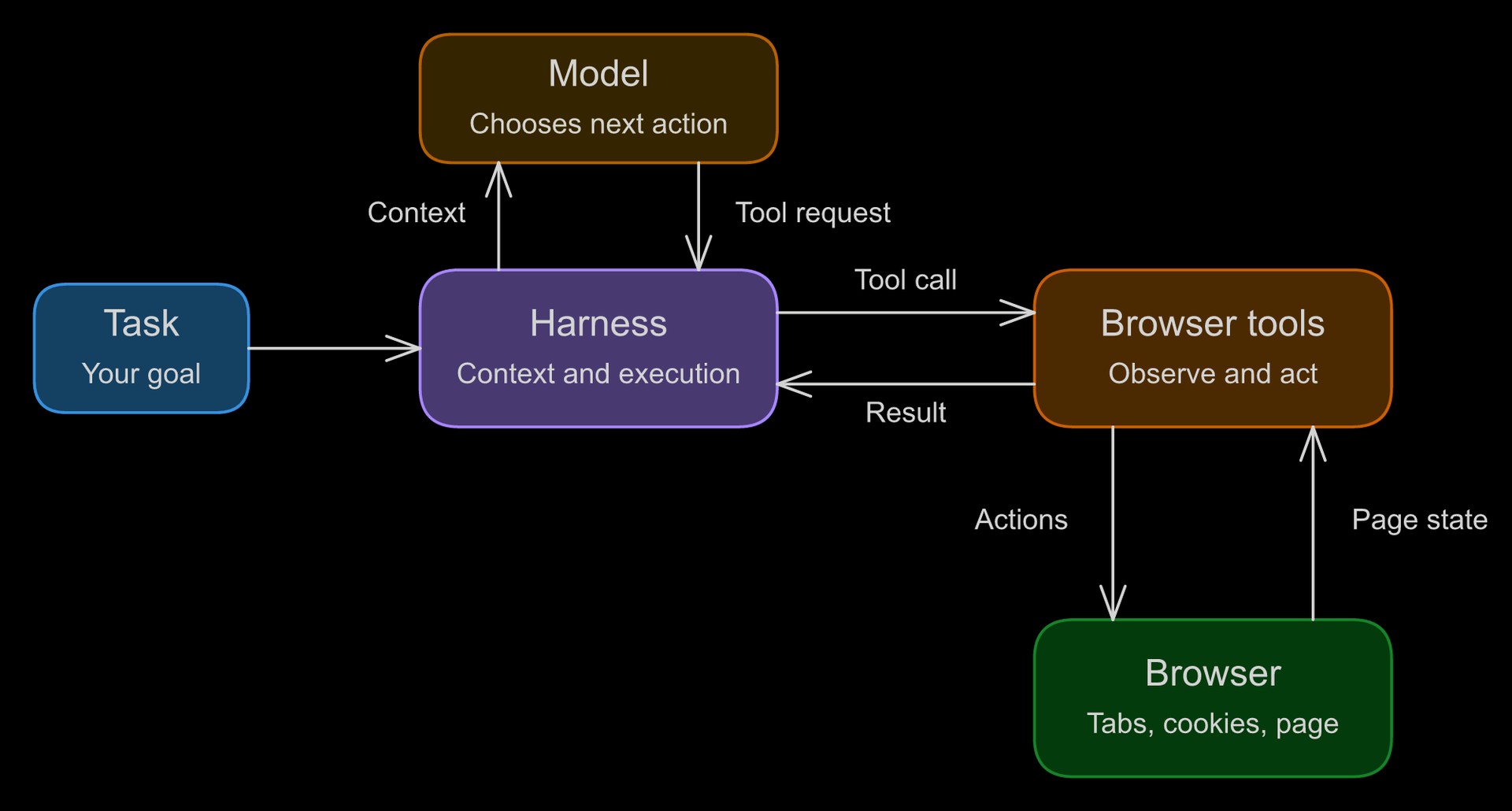
Browser Use published an October 18 explainer that separates a browser agent into three parts: a model, a harness, and a browser. The model chooses actions, the harness supplies context and runs the loop, and the browser holds the page and session state. The account describes agents observing a page, taking an action, and checking the result before continuing.
This framing is useful because browser automation is often discussed as if the model does everything. In practice, success depends on what the browser exposes, what actions the harness permits, and how the system decides that the task is finished.
Choose the least ambiguous interface
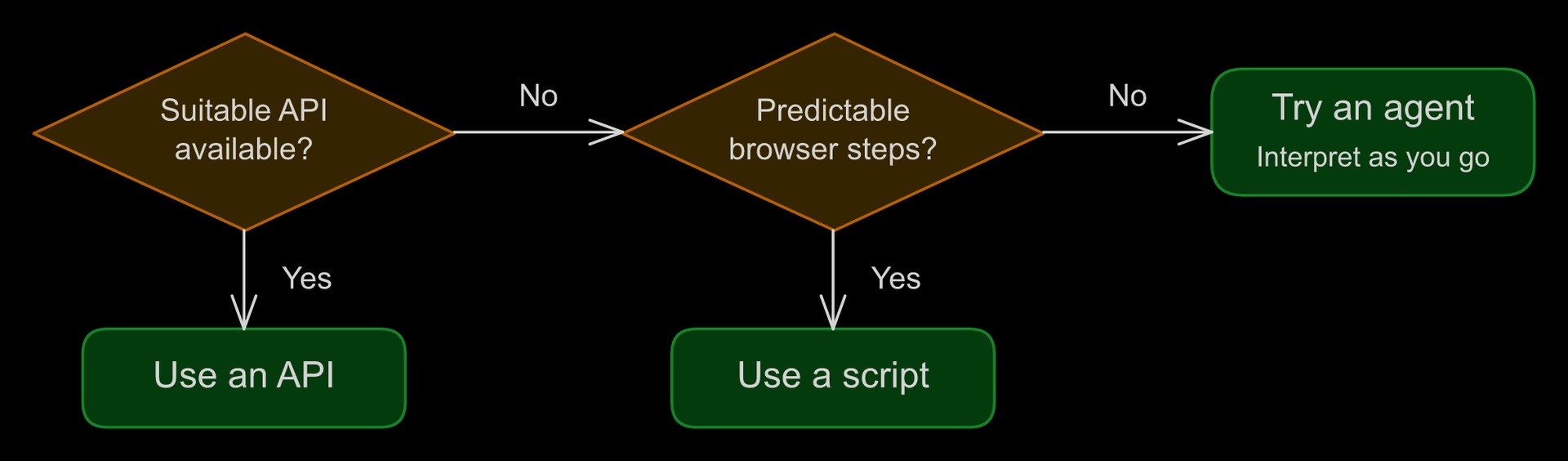
A direct API can be attractive when it exposes the exact operation the application needs. A script can be suitable when the page sequence is stable. An agent becomes more useful when the workflow requires interpreting changing content or choosing between several reasonable next steps.
Consider collecting a monthly statement. If the service provides a reliable download API, a browser agent may add unnecessary steps. If the statement is available only through a changing customer portal, an agent may help navigate the interface. The choice should follow the available access and the variability of the task, not a preference for making every workflow autonomous.
The last click is not the outcome
An agent may click a download button without receiving the expected file. It may submit a form and miss a validation error below the visible area. A robust workflow therefore defines an observable end state: the correct file exists, the record has the expected status, or the page confirms the requested change.
That end state should include enough detail to distinguish success from a similar-looking result. A file with the wrong reporting period is not a successful download. A confirmation for the wrong account is not a successful update. Checks should reflect what the user actually asked to accomplish.
Budget for recovery
Browser tasks can encounter expired sessions, changed layouts, and unavailable pages. Decide in advance which conditions justify retrying and which require a person. Give the run a time or step limit so an unproductive loop cannot continue indefinitely.
Keep the recovery path understandable. When a person takes over, they should see the last completed step and the unresolved problem. If a task resumes later, it should inspect the current page state rather than assume that every previous action remains valid.
The Browser Use overview offers a grounded way to assess automation. A browser agent is most valuable when its flexibility solves a real interface problem and its surrounding system can verify completion. The model’s ability to choose another click is only one part of that contract.
Have a correction or a useful perspective?
Get in touch with the publication.