
Introduction
Why Productivity Is a Real Challenge for Online Beginners

Working online often looks simple from the outside. You only need a laptop, an internet connection, and time. In reality, beginners quickly discover that online work comes with a different kind of pressure. There is no fixed schedule, no manager watching, and no clear structure unless you create it yourself. This is where productivity becomes a real challenge, not because beginners are lazy, but because the environment is unstructured.
Understanding productivity early helps beginners avoid frustration, burnout, and wasted effort. It is not about working faster. It is about working with clarity.
Why working online feels overwhelming at the beginner stage
Most beginners struggle with distractions, unclear priorities, and time confusion. Tasks blend together. Hours pass without visible progress. Without systems, online work easily becomes reactive instead of intentional.
Productivity as a skill, not a personality trait
Productivity is often mistaken for motivation or talent. In truth, it is a learnable skill. Tools can support good habits, but they cannot replace discipline, planning, or decision-making. Systems matter more than energy.
H3: What this article will and will not do for beginners
This article will explain productivity tools in a practical, beginner-friendly way. It will not promise shortcuts, instant results, or unrealistic efficiency. The goal is clarity, not hype.
What “Productivity” Really Means in Online Work

Productivity in online work is often misunderstood. Many beginners assume it means staying busy all day or completing as many tasks as possible. In reality, productivity is about making meaningful progress toward clear outcomes. Online work does not reward movement alone. It rewards direction.
Unlike traditional jobs, online work rarely comes with fixed routines or visible supervision. This freedom can be powerful, but it also makes it easier to waste time without realizing it. Understanding what productivity actually means helps beginners build systems that support progress instead of constant activity.
The difference between being busy and being productive
Being busy feels active. Emails get answered. Tabs stay open. Tasks get checked off. But productivity is different. It is measured by results, not motion. A productive day may include fewer tasks, but those tasks move the work forward in a meaningful way.
Online beginners often discover that activity does not always equal progress.
Why beginners often confuse effort with results
Many beginners work long hours yet see little output. This usually happens when effort is not guided by priorities. Without clear goals, time spreads thin across unrelated tasks. Energy is spent, but outcomes remain unclear.
Effort matters, but direction determines results.
How productivity looks different in online work
Online productivity relies on self-management. Time is flexible, but responsibility is higher. There is no fixed structure unless you create one. Productivity here means choosing what matters, protecting focus, and using tools to support—not replace—clear thinking.
In online work, productivity is intentional, not automatic.
Common Productivity Problems Beginners Face Online
Many beginners enter online work with motivation and good intentions, yet quickly feel stuck. The problem is rarely laziness. In most cases, productivity drops because systems are missing. Online work removes external structure, and without replacing it internally, confusion grows fast.
Understanding these common productivity problems helps beginners recognize that the struggle is normal—and solvable.
Poor task organization and scattered work
One of the biggest problems beginners face is scattered work. Tasks live in different places: notes on the phone, ideas in messages, reminders in the head. Nothing is clearly organized.
When tasks are scattered, mental energy is wasted just trying to remember what needs to be done. Work feels heavy before it even starts. Productivity suffers not because tasks are difficult, but because they are unclear.
Distractions and lack of focus at home
Working online often means working from home. While this sounds convenient, it brings constant distractions. Notifications, family interruptions, and social media break focus repeatedly.
Without clear boundaries, beginners jump between work and non-work. Time passes, but deep focus never happens. Productivity requires protected attention, not just available hours.
Not knowing what to work on first
Many beginners know what they need to do, but not what matters most right now. Everything feels urgent. As a result, they switch tasks often and finish little.
This lack of prioritization creates stress. Productivity improves only when beginners learn to identify the next meaningful task instead of reacting to everything.
Tool overload without a system
Beginners often download many productivity tools hoping for quick improvement. Without a system, tools create more noise than clarity.
Using many tools without understanding their purpose leads to confusion. Productivity comes from simple systems first—tools should support them, not replace them.
Core Categories of Productivity Tools Beginners Should Understand
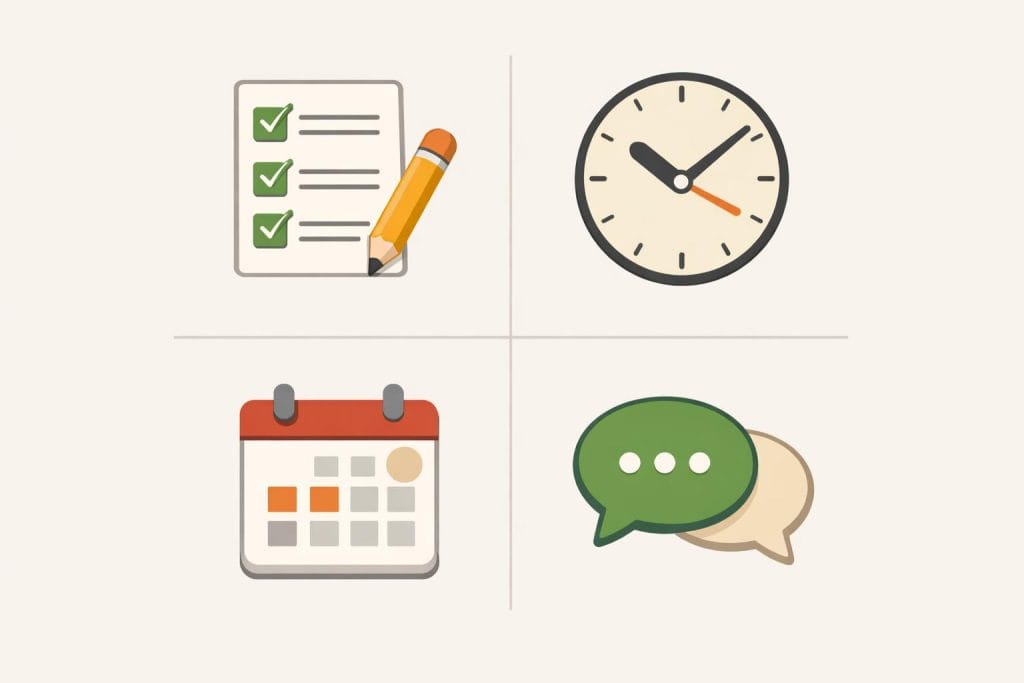
When beginners hear the phrase “productivity tools,” they often imagine a long list of apps. That approach usually creates confusion instead of clarity. Productivity does not start with tools. It starts with understanding what kind of problem you are trying to solve.
Before choosing any specific productivity system, it helps to understand the broader category of essential tools for remote and online work, since productivity tools are only one layer of that larger system.
Before choosing any software, beginners need to understand the main categories of productivity tools and what role each category plays in online work. This helps them choose tools intentionally, not emotionally.
Task and to-do management tools
Task management tools exist to answer one simple question: What needs to be done next?
For beginners, unfinished tasks often live in memory, which creates stress and mental overload.
These tools help capture tasks in one place, break work into clear actions, and show progress visually. Their real value is not reminders or checklists. It is mental relief. When tasks are written down and organized, beginners can focus on execution instead of remembering.
Good task management reduces anxiety and prevents work from feeling chaotic.
Time management and focus tools

Many beginners believe they lack time, when the real issue is lack of focus. Time management tools do not create more hours. They help beginners become aware of how time is used.
These tools support focus by limiting distractions, setting work sessions, or visualizing time blocks. Their purpose is not control, but awareness. When beginners see where time goes, better decisions follow naturally.
Focus improves when time is treated intentionally, not reactively.
Planning and organization tools
Planning tools help beginners think beyond today. Online work often fails when everything feels urgent and unplanned.
These tools support weekly or monthly planning, goal breakdowns, and simple workflows. They help connect daily tasks to larger goals. Without planning, beginners stay busy but directionless.
Organization tools create structure so progress feels measurable, not random.
Communication and coordination tools
Online work depends on communication, even for solo beginners. Messages, emails, and shared information can quickly become overwhelming.
Communication tools help centralize conversations and prevent important details from getting lost. Their value lies in clarity and continuity, not speed.
Clear communication protects beginners from misunderstandings, missed messages, and unnecessary stress.
Task Management Tools That Help Beginners Stay Organized

For many beginners, online work feels messy not because it is difficult, but because everything feels unfinished at the same time. Ideas live in the head. Tasks are scattered across notes, messages, and memory. This is where task management tools quietly make the biggest difference.
These tools are not about doing more work. They are about seeing work clearly.
Breaking work into clear, manageable tasks
Beginners often think in big goals: “build a website,” “grow traffic,” or “start freelancing.” These goals feel heavy because they are not actionable.
Task management tools help break large goals into small, specific steps. Instead of “write a blog,” the task becomes “outline article,” then “write introduction,” then “edit draft.” Each step feels doable.
This clarity reduces procrastination. When the next action is clear, starting becomes easier.
Visualizing daily and weekly priorities
One hidden problem beginners face is priority confusion. Everything feels important, so nothing truly is.
Task tools allow beginners to see what matters today and what can wait. Daily lists reduce overwhelm. Weekly views help balance effort across time instead of reacting to every new idea.
Visualization turns abstract pressure into concrete plans. When work is visible, decision-making improves naturally.
Why simple task systems work better than complex ones
Many beginners assume better organization requires advanced systems. In reality, complexity often leads to abandonment.
Simple task systems work because they are easy to maintain. A short list reviewed daily is more powerful than a complex system reviewed once a month.
The best task system is not the most advanced one. It is the one you actually use consistently.
Avoiding task overload and burnout
Another common beginner mistake is adding too many tasks at once. Long lists create guilt instead of motivation.
Task management tools help limit focus. By choosing a small number of tasks per day, beginners protect their energy and attention. This prevents burnout and builds sustainable habits.
Productivity grows when work feels controlled, not endless.
Planning and Organization Tools for Online Workflows
Good planning is not about doing more. It is about knowing what matters today, this week, and this month. For beginners working online, the biggest productivity problem is rarely lack of effort. It is lack of structure. Planning and organization tools exist to solve this exact issue by turning scattered thoughts into clear workflows.
Weekly planning versus daily improvisation
Many beginners start each day by reacting. They check messages, jump between tasks, and decide what to do moment by moment. This feels busy, but it rarely leads to steady progress.
Weekly planning creates a different experience. Instead of deciding everything every morning, you decide once, then execute. A clear weekly plan reduces mental load. Daily work becomes simpler because priorities are already defined. Planning tools support this by helping you map tasks across days instead of improvising constantly.
This does not mean rigid schedules. It means having a visible direction before the week begins.
Keeping ideas, notes, and plans in one place
Another common beginner problem is scattered information. Ideas are in one app. Notes are in messages. Plans are half-written on paper. This fragmentation creates stress and wasted time.
Organization tools help by centralizing thinking. When ideas, notes, and plans live in one place, your brain does not have to remember everything. You can return to thoughts later without fear of losing them.
For online work, this is especially important. Projects evolve over time. Having a single system where thinking is stored allows beginners to build continuity instead of restarting from zero each week.
Why beginners need visibility, not complexity
Beginners often believe advanced systems will make them productive. In reality, complexity creates friction. What beginners need most is visibility.
Visibility means seeing tasks, deadlines, ideas, and progress clearly. Simple planning tools that show what is happening now and what comes next are far more effective than complicated setups.
When work is visible, decision-making becomes easier. Stress drops. Focus improves. Productivity follows naturally, not because tools are powerful, but because systems are clear.
Planning tools work best when they simplify thinking, not when they demand it.
Productivity Tools for Communication and Collaboration
Online work depends heavily on communication. Messages, updates, feedback, and coordination happen constantly. For beginners, the challenge is not a lack of communication tools, but too much communication without structure. Productivity tools for collaboration exist to keep work moving without overwhelming attention.
Managing messages without losing focus
One of the fastest ways to lose productivity is constant messaging. Notifications interrupt deep work and pull attention in many directions. Beginners often feel pressured to respond immediately, even when the message is not urgent.
Productivity-focused communication tools help by organizing messages into clear threads, channels, or conversations. This allows beginners to check messages intentionally instead of reacting all day. When communication is structured, focus becomes easier to protect.
The goal is not to ignore messages, but to control when and how they are handled.
Separating work communication from personal chats
Many beginners use the same apps for personal and work conversations. This creates blurred boundaries. A work message appears next to casual chats, and focus disappears quickly.
Separating work communication from personal messaging creates mental clarity. When work tools are used only for professional communication, the brain switches into a different mode. Tasks feel more serious. Responses become more thoughtful.
This separation is one of the simplest productivity upgrades beginners can make, even without changing workload.
Clear communication as a productivity multiplier
Poor communication creates extra work. Misunderstandings lead to revisions, delays, and frustration. Clear communication does the opposite.
When messages are organized, expectations are written clearly, and decisions are documented, work flows faster. Fewer follow-ups are needed. Fewer mistakes happen.
For beginners, communication tools are not just about talking to others. They are about reducing friction. Clear communication saves time, protects focus, and quietly increases productivity across all online work.
How Productivity Tools Support Different Types of Online Work
Productivity tools do not work the same way for everyone. The value they provide depends on the type of online work being done. Beginners often assume one system fits all, but in reality, productivity tools adapt to different workflows. Understanding this helps beginners choose tools that actually support progress instead of adding friction.
Content creators and bloggers
For content creators and bloggers, productivity tools mainly support consistency and clarity. Writing ideas, drafts, publishing schedules, and updates can quickly become scattered. Productivity tools help organize topics, plan content calendars, and track what has already been published.
Those building content systems, especially in content-based online income models, rely heavily on structured planning and consistent publishing workflows.
Instead of relying on memory or last-minute effort, creators can work from a clear system. This reduces creative pressure and makes content creation feel manageable over time. The tools do not create content. They protect focus and reduce decision fatigue.
Freelancers and service providers
Freelancers often juggle multiple clients, deadlines, and communication channels. Productivity tools help them stay organized without mental overload. Tasks, timelines, and client notes can be kept in one place instead of spread across emails and messages.
This structure helps freelancers deliver work on time and respond professionally. When information is organized, less energy is spent remembering details. More energy goes into actual work and quality delivery.
Small online business owners
For beginners exploring skill-based online work, productivity tools become essential for managing clients, deadlines, and communication clearly.
Small online business owners deal with operations, content, communication, and planning at the same time. Productivity tools help turn daily chaos into repeatable systems. Even simple tools can bring visibility to tasks, priorities, and progress.
The main benefit here is control. Business owners see what is happening instead of reacting all day. This makes growth decisions clearer and reduces stress at the beginner stage.
Solo beginners learning online skills
Solo beginners often feel lost because everything is new. Productivity tools act as learning support. They help beginners plan study time, track practice, and stay consistent without pressure.
Instead of trying to do everything at once, beginners can move step by step. The tools provide structure, but learning still comes from effort. Used correctly, productivity tools help beginners stay focused, patient, and realistic as they build online skills.
Real-Life Beginner Examples of Productivity Tools in Action
Beginners often understand productivity tools better when they see how they are used in real situations. Theory alone can feel abstract. Practical examples show how simple systems support real work without adding pressure or complexity.
The following examples are not advanced businesses. They reflect realistic beginner stages, where productivity tools are used to stay organized, reduce stress, and keep moving forward consistently.
A beginner managing content and deadlines
A beginner content creator usually struggles with deadlines and consistency. Ideas may exist, but publishing feels rushed or delayed.
By using simple productivity tools, this beginner can plan content ahead, break work into small tasks, and set clear deadlines.
Instead of remembering everything mentally, tasks are written down and reviewed daily. This reduces anxiety and makes progress visible. Over time, content creation becomes calmer and more predictable.
A freelancer organizing tasks and clients
A beginner freelancer often works with multiple clients at once. Messages, tasks, and deadlines can quickly become confusing.
Productivity tools help by separating work by client, tracking tasks clearly, and organizing communication.
With a simple system in place, the freelancer knows what to work on next. This improves reliability and builds trust with clients, even at an early stage.
A small online project staying consistent
Small online projects usually fail because consistency breaks down. Not because of lack of effort, but lack of structure.
Productivity tools help by supporting routines, planning ahead, and keeping work visible.
When systems replace memory, consistency becomes easier. Progress continues, even during busy or low-energy periods.
Common Mistakes Beginners Make with Productivity Tools
Productivity tools are meant to reduce friction, not create more confusion. Yet many beginners struggle because they use these tools the wrong way. These mistakes are common, understandable, and fixable—but only if they are recognized early.
Understanding these issues helps beginners build systems that actually support progress instead of slowing it down.
Using too many tools at once
One of the biggest mistakes beginners make is adopting too many tools at the same time. Task apps, calendars, note tools, timers, and planners are added together without a clear system.
Instead of increasing productivity, this creates overload. Time is spent managing tools instead of doing work. Beginners often feel busy but see little progress. A small number of well-used tools is far more effective than a large, scattered setup.
Switching tools instead of fixing habits
When productivity feels low, beginners often blame the tool. They switch apps, hoping the next one will solve the problem.
In reality, the issue is usually habit-related. Poor planning, lack of review, or inconsistent use cannot be fixed by switching software. Productivity improves when tools are used consistently, not replaced repeatedly.
Stability matters more than novelty.
Expecting tools to create discipline automatically
Another common mistake is expecting tools to create discipline on their own. Tools do not manage time, make decisions, or enforce focus. People do.
Productivity tools support discipline, but they cannot replace it. Beginners who understand this use tools as reminders and guides—not as substitutes for effort and responsibility.
How Beginners Should Choose Productivity Tools Wisely
Choosing productivity tools is not about finding the “best” app. It is about choosing tools that fit your current stage, skills, and workload. Many beginners lose time by copying what advanced users do, instead of building systems that actually support learning and consistency.
A wise approach focuses on clarity, simplicity, and gradual growth.
Start with needs, not trends
Beginners should start by identifying real problems. Do you forget tasks? Miss deadlines? Lose notes? Each problem points to a specific need.
Trends and recommendations often reflect advanced workflows. Following them too early adds confusion. A tool is useful only if it solves a clear problem you already face. Needs come first. Tools come second.
Free vs paid tools at the beginner stage
Free tools are often more than enough at the beginning. They allow beginners to learn systems without financial pressure. More importantly, they reveal how consistently you actually use a tool.
Paid tools make sense only when limits become real obstacles. If a free tool supports your workflow well, upgrading early adds little value. Paying should follow usage, not curiosity.
When upgrading tools actually makes sense
Upgrading becomes reasonable when three things are clear: you use the tool regularly, you understand its workflow, and the limitation slows real progress.
Upgrades should remove friction, not add complexity. If a paid feature saves time or reduces manual work you already do daily, it may be worth it.
Keeping systems simple as skills grow
As skills improve, systems often need small adjustments—not full replacements. Beginners benefit most from stable tools used consistently.
Simple systems scale better than complex ones. When tools are easy to maintain, focus stays on work instead of management. Growth should refine systems, not constantly rebuild them.
Limitations of Productivity Tools in Online Work
Productivity tools are helpful, but they are not a complete solution. Many beginners expect tools to fix confusion, lack of direction, or poor planning. In reality, tools only support systems that already exist. Understanding their limits helps beginners use them wisely instead of becoming dependent.
As explained in why technology is a tool, not a shortcut, tools only amplify systems — they do not replace thinking or planning.
A balanced approach recognizes what tools can do—and what they cannot.
Why tools do not replace thinking or planning
No productivity tool can decide priorities for you. Tools can store tasks, reminders, and schedules, but they cannot think strategically or understand long-term goals.
Without clear planning, even the best tool becomes a digital to-do list with no direction. Beginners still need to decide what matters, what comes first, and what can wait. Tools assist thinking, but they never replace it.
Learning curves and adjustment periods
Every tool requires time to understand. Beginners often underestimate this and switch tools too quickly when results are not immediate.
There is always an adjustment period where productivity may feel slower, not faster. This is normal. Real benefits appear only after consistent use and small refinements to how the tool fits daily work.
Switching tools too early resets this learning process and creates frustration.
The ongoing role of human judgment
Tools follow rules. Humans make decisions.
Judgment is needed to review progress, adapt plans, and respond to unexpected changes. Productivity tools cannot evaluate context, emotions, or long-term impact.
Successful online work combines tools with human awareness. Tools organize actions, but judgment guides direction. This balance is what turns productivity systems into real progress.
Frequently Asked Questions (FAQ)
Do beginners really need productivity tools to work online?
Beginners do not need productivity tools on day one, but they often benefit from them earlier than they expect. Online work lacks structure by default. There is no manager, fixed schedule, or clear workflow unless you create one.
Productivity tools help beginners organize tasks, track progress, and reduce mental overload. They do not replace discipline or learning, but they provide a simple structure that makes online work feel more manageable. Even one basic tool can make a noticeable difference.
Can free tools be enough at the start?
Yes, free tools are usually more than enough at the beginner stage. Most beginners do not need advanced features or paid plans early on.
Free tools allow beginners to learn how systems work, build habits, and understand their real needs. Paying for tools too early often leads to wasted money and unused features. Upgrading only makes sense once free options clearly limit progress.
How many productivity tools should a beginner use?
Fewer tools are almost always better. For most beginners, one or two tools are enough to stay organized and productive.
Using too many tools creates confusion and extra work. A simple setup works best when learning online skills. The goal is clarity, not complexity. Tools should reduce thinking effort, not add to it.
When do productivity tools actually save time?
Productivity tools save time only after they are used consistently. At first, they may feel slower because of learning and setup.
Real time savings appear when tasks are clearly organized, priorities are visible, and fewer decisions are made daily. Tools save time by reducing confusion—not by working automatically.
Conclusion – Productivity Tools as Support, Not a Shortcut
Key takeaways for online beginners
Productivity tools can make online work clearer and more manageable, but they are not magic solutions. For beginners, the real value of these tools lies in helping reduce confusion, organize tasks, and maintain consistency. Tools work best when they support simple habits, not when they are expected to create results on their own. Starting small, staying consistent, and learning gradually matters more than having many tools.
Why systems matter more than tools
Tools without systems rarely deliver long-term results. A clear system—such as weekly planning, defined priorities, and regular review—gives tools their real purpose. Beginners who focus on building simple systems often make steadier progress than those constantly switching tools. Productivity improves when tools fit into a clear way of working, not when they are used randomly.
Connecting productivity tools back to technology and online business
Productivity tools are only one part of a larger digital picture. They work alongside platforms, software, and online business processes that shape modern work. To fully understand how productivity tools fit into the bigger ecosystem of online work, it helps to explore Technology and Online Business – The Complete Beginner’s Guide, where these tools are placed within a broader, practical context. This connection helps beginners see productivity not as a trick, but as a skill supported by the right technology.




2 Comments on “Productivity Tools That Help Beginners Work Online Efficiently”